|
|
| Default Setting for i-Illustrate App |
|
|
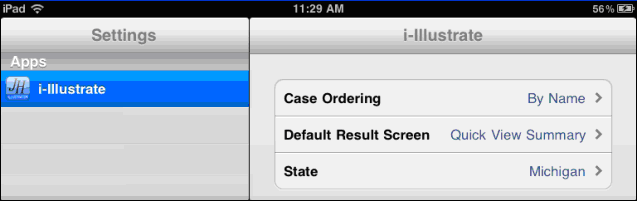
| Before launching i-Illustrate, you may set your preferred default settings for this App. On the iPad Home screen, tap the Settings icon and select i-Illustrate from the list of Apps. |

Settings |
 |
|
|
| Choose your preferences |
| Case Ordering |
Choose order to display saved cases in the Open window:
• by Name
• by Date or
• by Product
|
| Default Result Screen |
Choose default screen to display when you Run a case:
• Quick View Summary
• Quick View or
• Illustration
|
| State |
Select the default state
|
|
|
|